Agilebars · Timebars · Costbars
Project management tools for small and medium size businesses.
Three browser-based tools on one codebase and one datbase. Plan sprints in Agilebars, schedule people across projects in Timebars, and prioritise project portfolios in Costbars.
Your plan and custom field configuration lives in your browser and can work offline, it can live in a spreadsheet you own, or live in the cloud. And projects sync both ways with OpenProject. Subscribe monthly, run the containers on your own infrastructure, or buy the source outright.
- Works offline in the browser
- Two-way OpenProject sync
- Spreadsheet-driven configuration
- Cloud, on-premises or air-gapped
AgilebarsAgile sprint scheduler
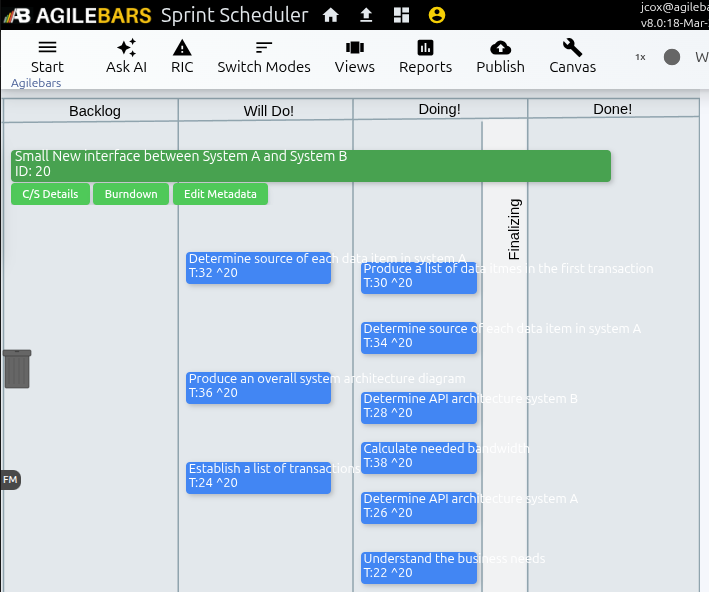
Backlog, Kanban board and burndown charts that come out of the plan rather than a spreadsheet.
TimebarsResource scheduler
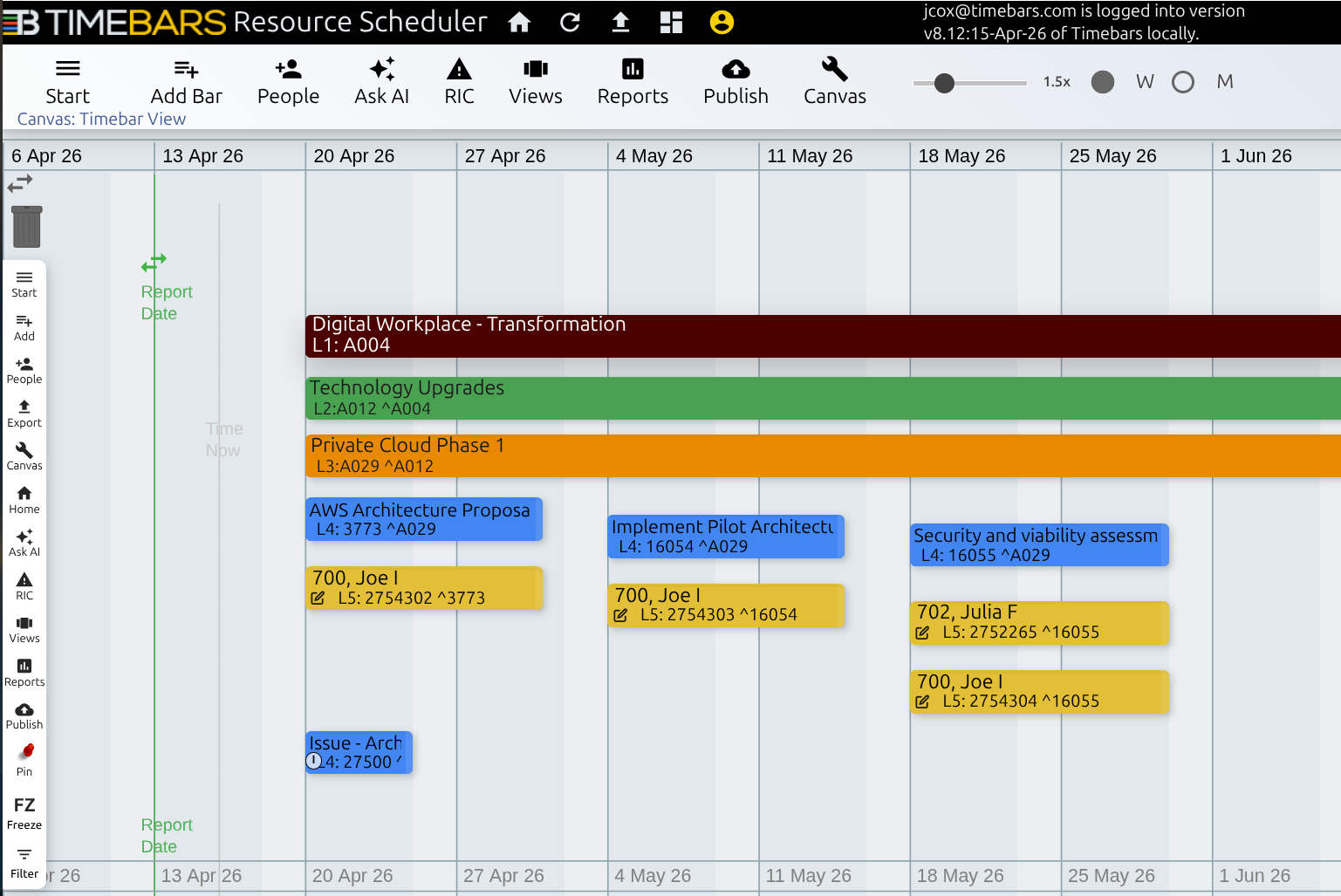
Drag-and-drop resource allocation across projects, with overallocation visible before you commit to it.
CostbarsProject portfolio manager
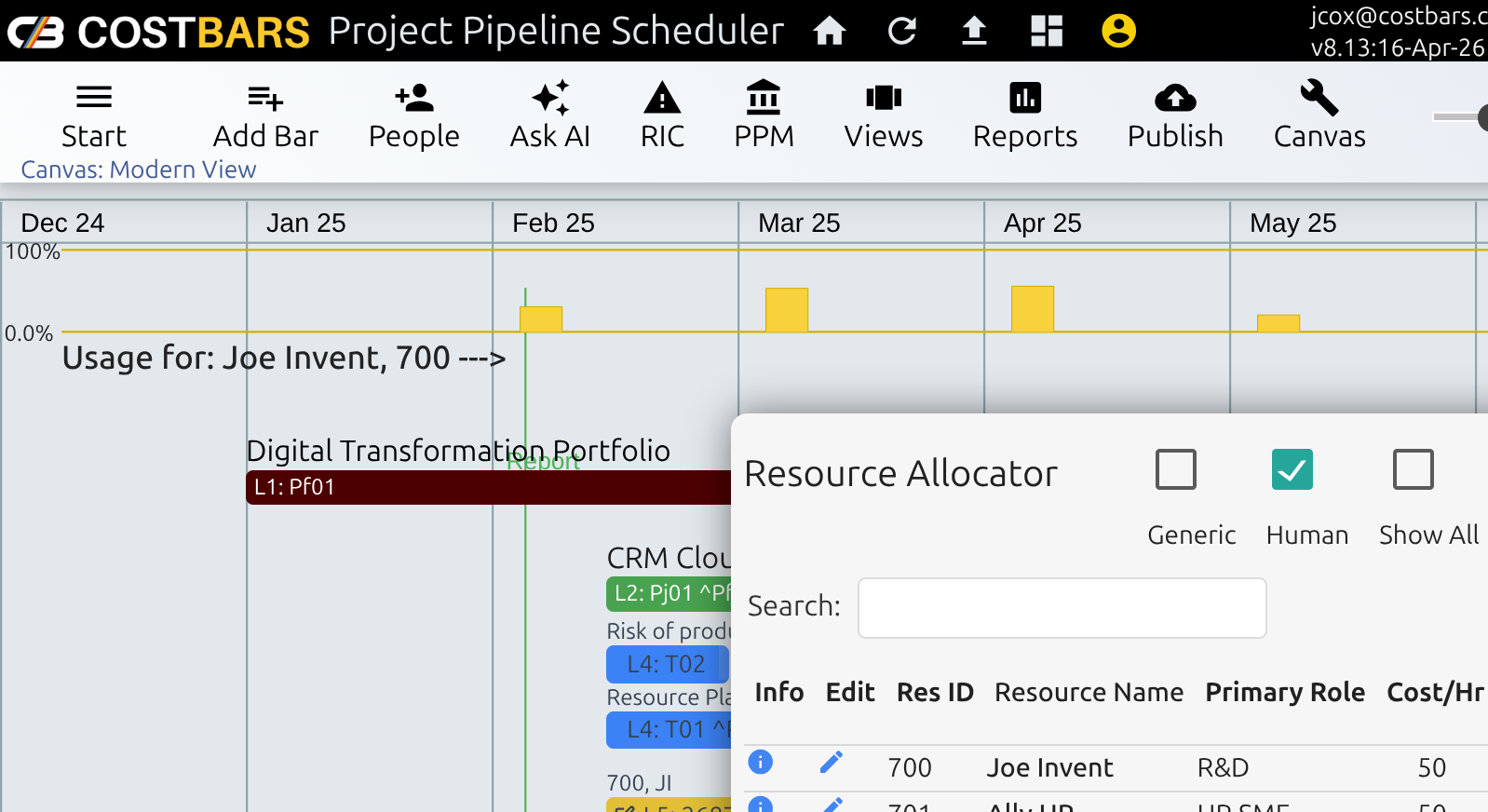
Score projects against your own criteria, level the demand they create, and decide what starts next.
The problem this was built for
Every line of business is raising changes through the same funnel.
There are hundreds of items in the queue. Important work sits untouched while less important work somehow reaches acceptance — not because anyone decided it should, but because it was easier to start.
And underneath it sits the constraint nobody can engineer around: the people who can build internal systems are the same people delivering customer-facing work. That work is revenue, and it is priority one by default. Every internal commitment you make is really a bet against capacity you do not fully control.
Small items
Configuration and no-code/low-code changes that never enter the SDLC.
Tasks under a standing business-as-usual project
Projects
Real delivery with work packages, running weeks to months, feeding the SDLC.
A project, with optional sub-projects and tasks beneath it
Programmes
Large initiatives with several sub-projects with work packages feeding the SDLC.
A portfolio, with projects beneath it
Sort the backlog by shape, score it on strategic value and deliverability rather than arrival date, resource load by role that includes the revenue work too — because a capacity picture that leaves that out is fiction. That sequence is what the three products are for.
Three products, one codebase
Pick the one that matches the job in front of you.
They share a data model, so work moves between them rather than being re-entered — a scored project can be managed as a resourced schedule or an agile sprint.
Costbars— Portfolio prioritisation and pipeline
Score projects against your own criteria, level demand, and decide what starts next.
Agilebars— Sprint planning for Scrum teams
Backlog, Kanban board and automatic burndown, on the same records the project schedule uses — so sprint progress and the plan never disagree.
Timebars— Resource scheduling across projects
Drag-and-drop allocation, working-day arithmetic, and overallocation you can see before you commit to it.
They are not three databases.
All three work the same five levels, so a project scored in Costbars is the project scheduled in Timebars and the backlog a team runs in Agilebars. Nothing is re-keyed, or left behind at a handover.
Integrations
Project and Resource Information Flexibility.
Most planning tools ask you to move your data in and keep it there. These three do not.
OpenProject, both directions
Push a project and everything beneath it into OpenProject, or pull an OpenProject project in and get a resourced schedule out of it. Each project declares which side owns it, and the other direction refuses to run rather than overwrite it. Every run previews before it writes, names every row it could not carry, and reports deletions instead of making them.
Your spreadsheet stays in charge
One workbook holds the configuration: every field definition, every picklist value, every form layout and the resource pool. Edit it there, import it, and the product changes. The import is gated — if the browser holds a newer copy of a table, it stops and tells you which, rather than quietly overwriting your work.
Publish only when you want to share
Send a snapshot to the cloud to change devices or for dashboards on any device, and push a single configuration change into every published dataset at once. Entirely optional: the Costbars app is a complete product without it.
Included in every product
Everything is in the box, and all of it is configurable.
Over 400 field definitions ship configured, and every one of them is a row you can edit — its label, its type, its picklist, which form it sits on, and whether it travels to OpenProject. Adding a value to a picklist is a new row, not a support ticket.
Management features
- Risks, issues and change requests
- Supply and demand grids
- Reports and graphs
- Enterprise dashboard
- Personal dashboard
- Priority-driven text alerts
Supporting systems
- Custom fields, picklists and tagging
- Spreadsheet sync
- Cloud publishing with role-based access
- Ask AI how to use the product, with detailed answers
- Ask AI to draft projects from business cases, Project Charter or simple hand drafted prompt
- Configurable forms and tabular reports
The whole custom field list can round-trip through your workbook, so your configuration can be a file you own, maintain and keep. If you opt out of using the workbook sync, maintain the custom field configuration in the app. Even the OpenProject custom-field identifiers are editable from your own instance — the mapping is data, not code.
Architecture
Your plan lives in your browser.
Project data is held in the browser's own database. Plans open, bars drag and reports run with no server round trip, and the tools keep working when the network does not.
Publishing, dashboards and notifications are Cloud services that come with your licence. Core functionality and local reports work without them, and without logging into the Cloud service. — a planner running only the client app has a complete product but will need internet access to get a license at least once.
If you need your own license service or off-line access in secure networks without internet access, deploy to your own cloud tenancy or to your own servers with the "Own the Code" plan as shown below.
- No application server in the data path
- A backend outage stops nobody working
- Air-gapped deployment supported
Ownership
Own the code. Not just a subscription.
Three ways to acquire it. The product is identical in all three — what changes is who runs it and who owns it.
- Subscribe
- A subscription to the hosted service. Nothing operational to run, and the fastest start.
- Run the containers
- Pre-built, versioned Docker images on your own infrastructure, we own the code. Your release cadence, your estate, your data.
- Own the source
- The complete source, across six repositories. Your roadmap, your build pipeline, and no vendor to outlive.
Moving between them later is expected, not penalised.
Documentation
Read the entire product before you talk to us.
The complete reference guide for each product is published in full — every screen, every field, every rule, including the awkward parts. No form, no call, no demo booking.
- Agilebars reference guide (PDF)
- Timebars reference guide (PDF)
- Costbars reference guide (PDF)
- The library — everything worth reading before you buy
- Knowledgebase